A defined performance
Reconstruct six shots over 15 seconds: dancer introduction, spectator reaction, heel-up shuffle, feet detail, two-person finish and a final spectator reaction. Choreography is approximate.
Replace the left dancer, right spectator or both characters. Each mode loads its own original prompt and preset barn and footwork images for a new 15-second scene.
Add your photosAdd your photo
Your photo is @Image1, used only for the dancer. The other character keeps the default appearance. JPG, PNG, WebP · up to 10 MB.
Video length
Seedance 2.0 Mini · Still images and a six-shot prompt. Soundtrack added after generation.The 15.0-second cut fits the up to 15 second tier.
Pay once. No automatic renewal. Technical failures return your credits automatically. Save with packs
Reference soundtrack included · Tip Toe Wing In My Jawwdinz (RiFF RAFF)
Reference example · Rumpel reference-site original preview
Watch the selected 13.0-second Rumpelstiltskin AI reference to see the original movement, camera cuts and soundtrack.
This video is for viewing inspiration only. Choose the left dancer, right spectator or both. Generation uses one or two role photos, the preset scene stills and the selected mode’s editable six-shot prompt. This video is not submitted to the model.
Soundtrack: Tip Toe Wing In My Jawwdinz (RiFF RAFF).
Selected reference example. Rumpel reference-site original preview
In late August 2026 an eerie clip styled like a lost 1980s dark-fantasy movie appeared on Instagram: a little man in a black velvet tailcoat sneaks into a candle-lit barn on tiptoe, shushes the camera, grins and dances while a young woman watches in horror. It was posted by the Stroinaya, Neuroferma and Anna Glinskaya pages and made by AI filmmaker Tatyana Tereshchenko. It is AI-generated, not archival footage.
Reconstruct six shots over 15 seconds: dancer introduction, spectator reaction, heel-up shuffle, feet detail, two-person finish and a final spectator reaction. Choreography is approximate.
The imported still images guide the dark timber barn, straw floor and raised-heel footwork; the written prompt guides the cuts. The video is for viewing only. The original-video section shows the selected reference example for this template. The workflow uses a written storyboard and your role photos. The source video is shown for comparison and is not sent to the generation model.
Reconstruct six shots over 15 seconds: dancer introduction, spectator reaction, heel-up shuffle, feet detail, two-person finish and a final spectator reaction. Choreography is approximate.
The chosen reference is trimmed before its soundtrack is extracted. The finished video receives that same sound from its opening frame.
Assign the dancer, the spectator before generating. Each photo identifies one role throughout the scene.
Choose the left dancer, right spectator or both. Upload one portrait for a single role, or dancer first and spectator second for both.
Each mode loads its original six-shot prompt and two preset scene images. Edit the prompt or replace the scene stills if needed. No reference video is sent; choreography and camera timing may vary.
The selected soundtrack is synchronized to the reference cut. Download your MP4; use a platform-licensed sound when required for your post.
This is the original dancer-mode prompt from rumpelstiltskinmeme.top. Choose dancer, spectator or both characters in the creator to load the corresponding editable prompt and correctly numbered scene images.
Create a new 15-second cinematic comedy scene from these STILL IMAGES. There is no input video. Reconstruct a coherent little tiptoe dance through the shot plan below; approximate the choreography rather than inventing unrelated action.

CAST — keep exactly two distinct people throughout:
DANCER: the adult person in @Image1, recognizable face and hair, transformed into a miniature performer wearing a black patterned tuxedo, white shirt and black bow tie.
SPECTATOR: an adult blonde woman in a cream dress, seated on a hay bale.
@Image1 is ONLY the dancer in every dancer shot. The spectator is a different person and must never inherit @Image1 face.
The dancer is approximately knee-high relative to the seated spectator, with an adult face and compact body proportions, not a baby. Both characters occupy the same physical space. Maintain their faces, hair, clothes, scale and screen positions across edits.

REFERENCE MAP:
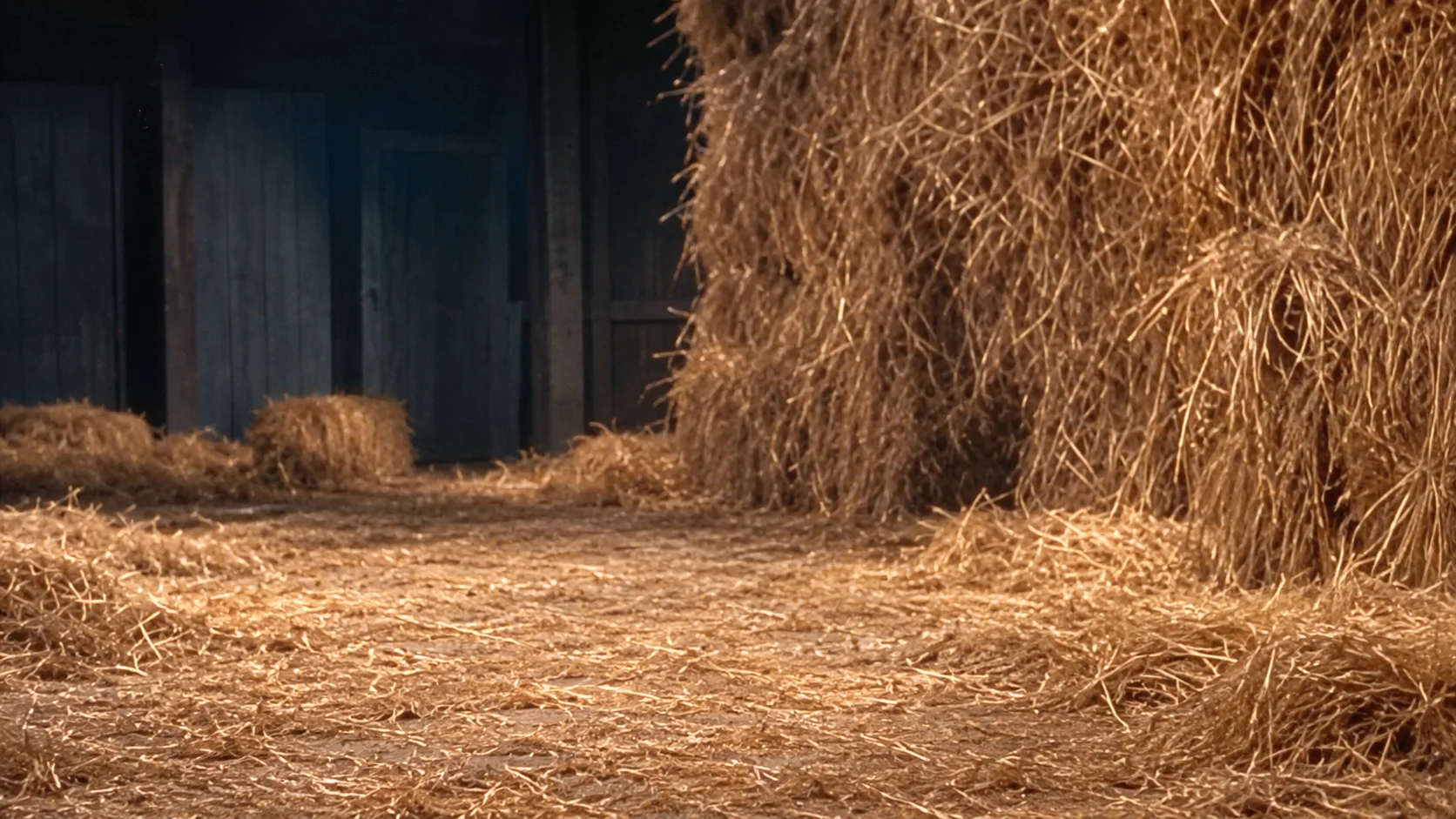
@Image2: environment only: close dark timber barn, tall warm straw piles and a narrow straw-covered dance floor.
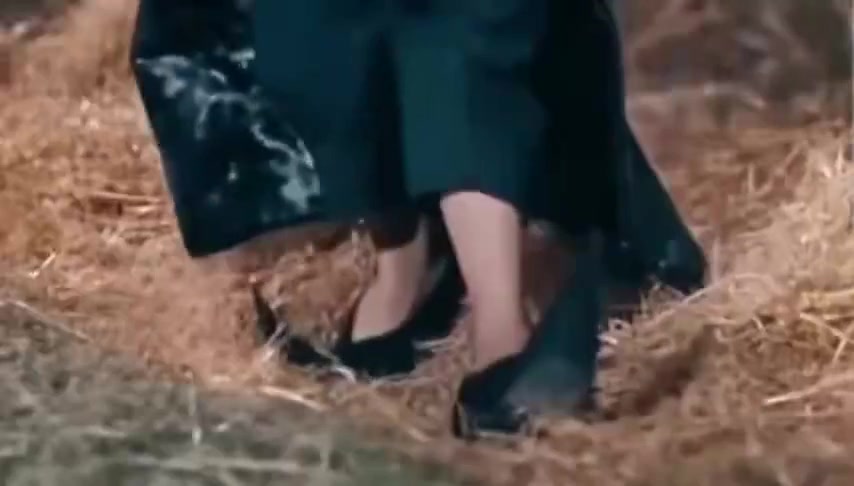
@Image3: feet insert only: black pointed shoes, raised heels, bent knees and overlapping ankles on straw. Do not use this picture as a face or body identity.

SHOT 1 — 0–3 seconds, medium-wide introduction:
Camera at the miniature dancer eye level. Dancer stands screen-left on the narrow floor; spectator sits screen-right facing them. Warm side light, dark wooden posts behind, layered hay bales, shallow depth of field. Dancer leans forward with flexed knees, elbows bent and hands lifted near the chest, smirks, raises one heel, makes two tiny alternating toe steps, then briefly raises an index finger near the mouth. Spectator follows with their eyes.

SHOT 2 — 3–5 seconds, spectator reaction close-up:
Hard cut to a tight frontal three-quarter shot of the SAME seated spectator. Clearly show the assigned spectator face and hair. Eyes widen and one hand covers the mouth in surprised amusement. Keep the same clothing and light direction. The performer stays off camera; do not transform the spectator into a dancer.

SHOT 3 — 5–8 seconds, dancer medium shot:
Hard cut back to the SAME dancer face and tuxedo, with the spectator shoulder softly blurred at the right foreground. Knees remain bent; perform a compact heel-up shuffle: left foot crosses inward, weight returns right, then two short tiptoe bounces. Shoulders bob, head tilts, elbows open outward. Spread both arms briefly to shoulder height with a smug smile; jacket tails swing. Keep feet touching the ground, no generic walking, large leaps or spinning.

SHOT 4 — 8–10 seconds, low feet detail:
Cut to a low close-up of the dancer's black pointed shoes, lower trousers and jacket tails against straw. Show raised heels, ankles crossing and uncrossing, a small sideways toe slide, then weight transferring to the other foot. Preserve the dancer scale. No faces or extra legs; two feet only, plausible knees and clear contact shadows.

SHOT 5 — 10–13 seconds, return to the two-person composition:
Hard cut to the original screen positions. The dancer does two small rhythmic toe bounces, leans toward the seated spectator, then opens the arms and holds a triumphant mischievous pose. The spectator remains seated, delighted and incredulous, hand lowering from mouth. Clearly retain both assigned faces without changing either person's role. A light shower of golden straw sparkles may appear around the dancer near the finish.

SHOT 6 — 13–15 seconds, final spectator reaction:
Cut to the SAME assigned spectator's reaction close-up. They glance toward the tiny dancer, smile in disbelief and hold the expression for the end. Never restore a different face in this last shot.

Use purposeful hard cuts, stable lenses and consistent geography. Keep a realistic fairy-tale comedy look, visible facial detail and warm muted color. No extra characters, cloned bodies, face morphing, costume changes, floating shoes, new room, subtitles, logos, camera orbit or lip-sync. Generate visuals only; backing music will be added separately.
| Your workflow | ViralRemake | General AI video tool | ComfyUI |
|---|---|---|---|
| What you bring | One photo, or two for both characters | Photos and a detailed prompt | Photos and a custom workflow |
| Scene and motion | Already directed for this meme | You describe the scene | You build the workflow |
| Setup | Choose your photos and duration | Refine prompts and settings | Configure models and nodes |
| Payment | From $9.99 per video | Depends on the provider | Your hardware or cloud costs |
A comparison of workflows. AI output varies with the photos you use.